

Prerequisites
When you listen to companies about their AI ambitions, there's often a deep fascination with models and algorithms, but a common blind spot for the sheer industrial might required to run these systems. The challenge isn't just building intelligent software; it's architecting the physical facilities, robust networking, and sophisticated orchestration needed to operate AI on a scale comparable to a national utility. We're talking about a global network of specialized compute power, not just an abstract bill from a cloud provider.
This article dissects this crucial third layer of AI—the data centers and cloud services—and demonstrates how to build infrastructure capable of supporting AI at an industrial scale. My goal is to demystify the fundamental components and share best practices from real-world deployments, treating AI not as magic, but as the powerful utility it is becoming.
To follow the concrete examples, you'll need the standard toolkit for production-grade Azure deployments. Working with the latest stable versions ensures compatibility and access to critical features.
- Azure CLI: Version
2.58.0or later. This is my go-to for all programmatic interaction with Azure. Check your version withaz --version. - Terraform CLI: Version
1.7.0or later. For infrastructure-as-code, Terraform is indispensable for creating repeatable, version-controlled environments. Check withterraform version. kubectlCLI: Version1.29or later. This is the universal standard for managing Kubernetes clusters. Verify withkubectl version --client.- Azure Subscription: You'll need an active subscription with permissions to create resources, including Kubernetes clusters, virtual networks, and Front Door instances. All my examples will use European regions like
westeuropeandnortheurope.

Architecture: The Utility Grid for Intelligence
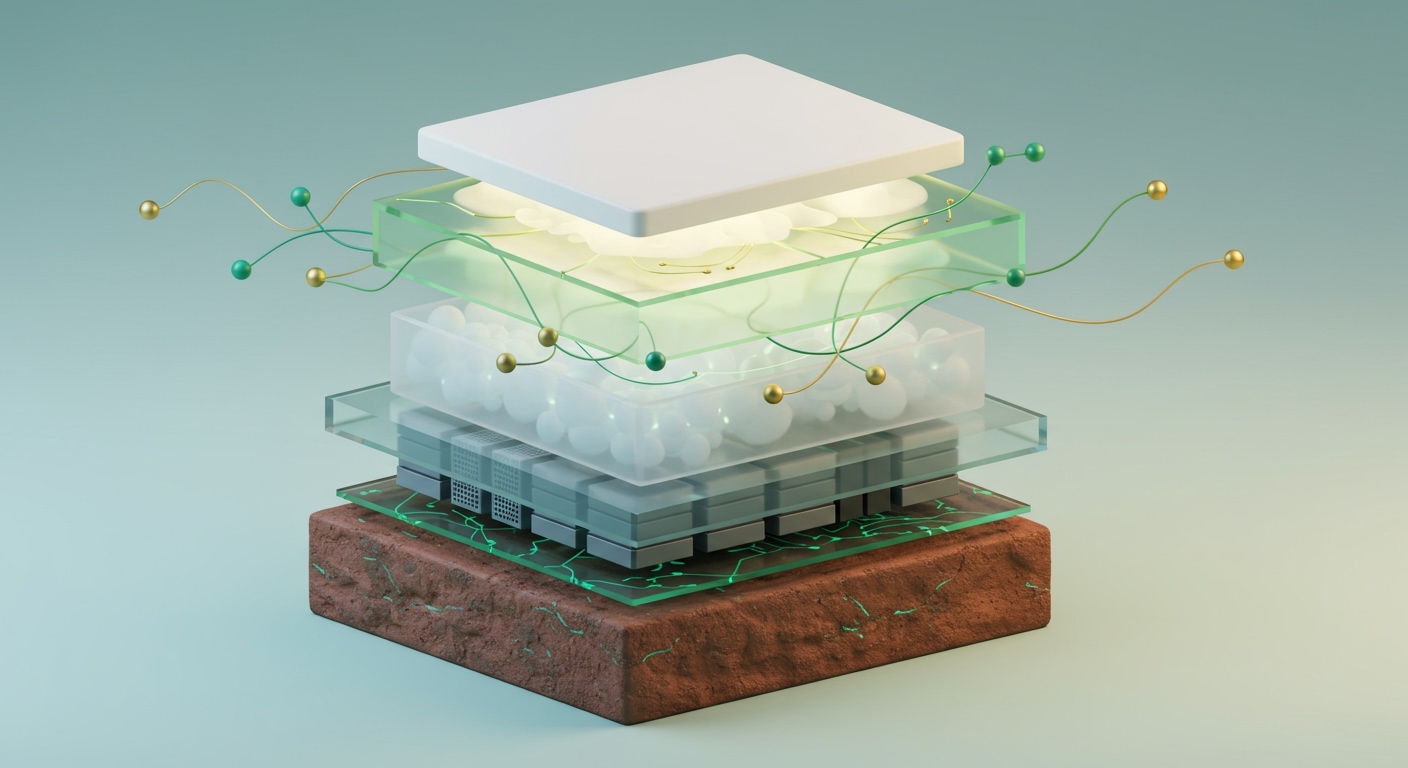
The industrial layer of AI is best understood by treating computing power as a utility. Just as a power plant generates electricity that flows across a grid to homes and factories, data centers generate AI compute that flows across global networks to applications. Many organizations underestimate the physical and logistical challenges. It's not about spinning up a few VMs; it's about optimizing power, cooling, network interconnectivity, and security at a massive, unforgiving scale.
At the heart of this layer are the modern data centers operated by cloud providers like Microsoft Azure, Amazon or Google. These facilities house vast arrays of specialized hardware—particularly GPUs—interconnected by high-bandwidth, low-latency networks. Cloud services abstract this physical complexity away, offering scalable compute (like Azure Kubernetes Service for GPU workloads), intelligent networking (Azure Front Door for global traffic management), and robust orchestration (Azure Functions, Durable Functions, and Service Bus).
The Physical Reality Behind the Cloud
When you walk through data centers, the scale is staggering. The hum of thousands of servers, the sheer volume of air being moved by massive cooling systems, and the endless racks of meticulously wired fiber optics—this is the physical bedrock of AI. For every model running in the cloud, there's a corresponding expenditure of electricity and a tangible physical footprint. This reality underpins the entire third layer and has significant FinOps (ie money) implications.
This composable approach, where we build AI using interconnected, specialized services, is the key. Instead of monolithic systems, we leverage standard APIs for interoperability, which is our best defense against vendor lock-in.
Key Architectural Components
For an industrial-scale AI system, I focus on four main pillars:
-
High-Performance Compute Clusters: This is where the heavy lifting of AI training and inference happens. The choice is often a managed Kubernetes service like Azure Kubernetes Service (AKS) running on GPU-enabled virtual machines (I'll write soon on serverless GPUs). It provides the necessary orchestration for deploying, scaling, and managing containerized AI workloads without the overhead of managing the control plane.
-
Global Networking and Edge Delivery: AI applications must be fast and responsive, regardless of user location. Use services like Azure Front Door or Cloudflare's global network as the intelligent entry point. They handle TLS termination, caching, DDoS protection, and efficient traffic routing to the nearest healthy backend. This is non-negotiable for minimizing latency.
-
Data Storage and Management: AI workloads are data-hungry. This requires a multi-faceted storage strategy: object storage (Azure Blob Storage) for large datasets and model artifacts, specialized vector databases for Retrieval-Augmented Generation (RAG) patterns, and traditional databases for application state. Robust data pipelines are the circulatory system connecting them all.
-
Orchestration and Automation: Beyond basic compute, orchestrating complex AI workflows is critical. This involves using serverless components like Azure Functions or Google Cloud Run functions for stateless tasks (e.g., pre-processing an API request) and Durable Functions for stateful, long-running workflows. Messaging services like Azure Service Bus provide the durable, asynchronous glue between these microservices.
Here’s a diagram showing how these elements interact to form a cohesive industrial AI layer.
Model Governance and Security
For any production workload, model governance and security are not optional. This is a baseline checklist for ensuring the integrity, auditability, and responsible use of AI models at scale:
- Version Control: Models are software artifacts. They must be versioned in a dedicated registry, like the one in Azure Machine Learning, to allow for rollbacks and auditable deployment histories.
- Strict Access Control: Use fine-grained IAM policies to control who can access, deploy, and invoke models. The principle of least privilege is paramount.
- Comprehensive Audit Logging: Log every model invocation, including input data (or its hash), output, and the identity of the caller. This is essential for traceability and compliance.
- Secure Endpoints: All models must be deployed behind a secure API gateway that enforces authentication, authorization, and rate limiting.
- Data Encryption: All data, whether in transit over the network or at rest in storage, must be encrypted using strong, managed keys.
With that architectural blueprint in mind, let's lay down the first part of our foundation: the compute cluster.
Code Example: Terraform for a GPU-Enabled AKS Cluster
This Terraform configuration provisions an Azure Kubernetes Service (AKS) cluster with a dedicated node pool for GPU-enabled machines in westeurope. This is the foundational compute block for our industrial AI deployment.
# main.tf

# Configure the Azure provider to a European region
provider "azurerm" {
  features {}
  # Using 'westeurope' as our primary region for compute resources.
  # For HA systems, we'd deploy to multiple European regions.
}

resource "azurerm_resource_group" "ai_infra_rg" {
  name     = "ai-compute-rg-production-eu"
  location = "westeurope"
}

resource "azurerm_kubernetes_cluster" "ai_aks_cluster" {
  name                = "ai-industrial-aks-eu-01"
  location            = azurerm_resource_group.ai_infra_rg.location
  resource_group_name = azurerm_resource_group.ai_infra_rg.name
  dns_prefix          = "ai-aks-eu"

  kubernetes_version = "1.29.4" # Align with current stable AKS versions

  default_node_pool {
    name                 = "systempool"
    node_count           = 2
    vm_size              = "Standard_DS2_v2"
    os_disk_size_gb      = 30
    auto_scaling_enabled = true
    min_count            = 1
    max_count            = 3
  }

  identity {
    type = "SystemAssigned"
  }

  network_profile {
    network_plugin     = "azure"
    load_balancer_sku  = "standard"
    service_cidr       = "10.0.0.0/16"
    dns_service_ip     = "10.0.0.10"
    docker_bridge_cidr = "172.17.0.1/16"
  }

  tags = {
    "project"     = "AIIndustrialScale"
    "environment" = "Production"
  }
}

# Dedicated node pool for GPU workloads, critical for industrial AI scale.
# This uses 'Standard_NC6s_v3' with NVIDIA V100 GPUs.
resource "azurerm_kubernetes_cluster_node_pool" "ai_gpu_node_pool" {
  name                  = "gpunodepool"
  kubernetes_cluster_id = azurerm_kubernetes_cluster.ai_aks_cluster.id
  vm_size               = "Standard_NC6s_v3"
  node_count            = 0 # Start with 0 and scale as needed to manage costs
  os_disk_size_gb       = 60
  auto_scaling_enabled  = true
  min_count             = 0
  max_count             = 5 # Scale up to 5 GPU nodes based on demand
  node_labels = {
    "agentpool" = "gpunodepool"
    "gpu"       = "nvidia-v100"
  }
  tags = {
    "environment" = "production"
    "ai_layer"    = "industrial"
  }
}

output "kubernetes_cluster_name" {
  value = azurerm_kubernetes_cluster.ai_aks_cluster.name
  description = "The name of the Kubernetes cluster."
}

output "kubernetes_cluster_id" {
  value = azurerm_kubernetes_cluster.ai_aks_cluster.id
  description = "The ID of the Kubernetes cluster."
}
Implementation Guide
Building out the industrial AI layer is a methodical process. Break it down into securing the core compute, establishing global network reach, and then deploying the AI workloads. Each step focuses on creating robust, scalable infrastructure suitable for utility-scale operations.
1. Provisioning the GPU-Enabled AKS Cluster
First, we'll deploy the foundational compute cluster using the Terraform configuration above.
# Initialize Terraform in your project directory
terraform init

# Review the planned changes before applying
terraform plan -out=aks_gpu_plan.tfplan

# Apply the Terraform configuration to provision resources
terraform apply "aks_gpu_plan.tfplan"
After a few minutes, Terraform will complete, and you'll see the outputs confirming the cluster's creation.
Expected Output:
Apply complete! Resources: 3 added, 0 changed, 0 destroyed.

Outputs:

kubernetes_cluster_id = "/subscriptions/<your-subscription-id>/resourceGroups/ai-compute-rg-production-eu/providers/Microsoft.ContainerService/managedClusters/ai-industrial-aks-eu-01"
kubernetes_cluster_name = "ai-industrial-aks-eu-01"
This confirms your AKS cluster, with its GPU node pool ready for scaling, has been successfully deployed in westeurope.
2. Configure `kubectl` Access
Once the cluster is up, you need to configure your local kubectl client to interact with it. The Azure CLI makes this simple by retrieving the cluster credentials.
# Get AKS cluster credentials (using admin for simplicity, use user auth in production)
az aks get-credentials --resource-group ai-compute-rg-production-eu --name ai-industrial-aks-eu-01 --overwrite-existing --admin

# Verify kubectl connectivity by listing nodes
kubectl get nodes
Expected Output:
Merged "ai-industrial-aks-eu-01-admin" as current context in /home/mark/.kube/config.
NAME                                STATUS   ROLES   AGE     VERSION
aks-systempool-12345678-vmss000000   Ready    agent   5m      v1.29.4
aks-systempool-12345678-vmss000001   Ready    agent   5m      v1.29.4
Notice the gpunodepool nodes aren't listed yet. That's because we set the initial node_count to 0. They will be provisioned by the cluster autoscaler once a workload requests GPU resources.
3. Deploying an AI Inference Workload to GPU Nodes
Now, let's deploy a sample AI inference service. This Kubernetes Deployment manifest instructs the scheduler to run our container on a GPU-enabled node, connecting our orchestration layer to the specialized hardware.
# ai-inference-deployment.yaml
apiVersion: apps/v1
kind: Deployment
metadata:
  name: gpu-inference-app
  labels:
    app: gpu-inference
spec:
  replicas: 1
  selector:
    matchLabels:
      app: gpu-inference
  template:
    metadata:
      labels:
        app: gpu-inference
    spec:
      # Node affinity ensures this workload runs only on a node with the specified GPU.
      nodeSelector:
        gpu: "nvidia-v100"
      containers:
      - name: inference-container
        # In a real scenario, you'd use your custom AI model image.
        # This public image is a base with CUDA drivers installed.
        image: "mcr.microsoft.com/azureml/intelmpi2018.3-cuda10.0-cudnn7-ubuntu16.04:20191010.v1"
        resources:
          limits:
            nvidia.com/gpu: 1 # Request 1 GPU from the node
        ports:
        - containerPort: 80
---
apiVersion: v1
kind: Service
metadata:
  name: gpu-inference-service
spec:
  selector:
    app: gpu-inference
  ports:
    - protocol: TCP
      port: 80
      targetPort: 80
  type: LoadBalancer # Expose the service with a public IP via Azure Load Balancer
Apply this configuration to your cluster:
# Apply the Kubernetes deployment and service
kubectl apply -f ai-inference-deployment.yaml
Expected Output:
deployment.apps/gpu-inference-app created
service/gpu-inference-service created
This triggers the AKS autoscaler. It will see a pod that requires a GPU, notice there are no available nodes, and begin provisioning a new node in the gpunodepool.
4. Setting Up Global Edge Networking with Azure Front Door
To make our AI service globally accessible with low latency, we place a global load balancer like Azure Front Door in front of it. While the full Terraform configuration is extensive, this conceptual snippet shows the key resources.
# networking.tf (conceptual)

# A Web Application Firewall (WAF) policy is a prerequisite for Front Door.
resource "azurerm_cdn_frontdoor_firewall_policy" "ai_waf_policy" {
  name                = "ai-app-waf-policy"
  resource_group_name = azurerm_resource_group.ai_infra_rg.name
  sku_name            = "Standard_AzureFrontDoor"
  enabled             = true
  mode                = "Prevention"
}

# The Front Door profile is the top-level resource.
resource "azurerm_cdn_frontdoor_profile" "ai_afd_profile" {
  name                = "ai-global-frontdoor-profile"
  resource_group_name = azurerm_resource_group.ai_infra_rg.name
  sku_name            = "Standard_AzureFrontDoor"
}

# An endpoint provides the public-facing hostname.
resource "azurerm_cdn_frontdoor_endpoint" "ai_afd_endpoint" {
  name                     = "ai-endpoint-eu-prod-unique"
  cdn_frontdoor_profile_id = azurerm_cdn_frontdoor_profile.ai_afd_profile.id
}

# In a complete configuration, you would also define:
# 1. An Origin Group pointing to the public IP of the 'gpu-inference-service'.
# 2. A Route to connect the public endpoint to the origin group.
# 3. A Security Policy to associate the WAF policy with the endpoint.
This setup leverages Microsoft's global edge network. A user request hits the closest Point-of-Presence (PoP), which then routes it efficiently over Microsoft's private backbone to our inference service in westeurope, providing a fast and secure experience.
Troubleshooting & Verification
Ensuring your industrial AI infrastructure is robust requires thorough verification. In my experience, most problems stem from misconfigurations in networking, IAM permissions, or resource allocation.
Verification Commands
- Check AKS Cluster Status:
az aks show --resource-group ai-compute-rg-production-eu --name ai-industrial-aks-eu-01 --query "provisioningState"
**Expected output:** `"Succeeded"`
- Verify GPU Node Presence (after pod deployment):
kubectl get nodes --selector=gpu=nvidia-v100
**Expected output (after autoscaling):**
NAME                                STATUS   ROLES   AGE     VERSION
aks-gpunodepool-12345678-vmss000000   Ready    agent   10m     v1.29.4
- Check AI Inference Pod Status:
kubectl get pod -l app=gpu-inference
**Expected output:** `STATUS` should be `Running`.
- Get External IP of Inference Service:
kubectl get service gpu-inference-service
**Expected output:** The `EXTERNAL-IP` field will show a public IP address after a few minutes. This is the IP you configure in your Front Door origin.
Common Errors & Solutions
-
Error: Pod stuck in
Pendingstate withnvidia.com/gpuresource warning.- Symptom:
kubectl describe pod <pod-name>shows an event likeFailedScheduling... 0/3 nodes are available: 3 Insufficient nvidia.com/gpu. - Solution: This is expected initially. The cluster autoscaler should be provisioning a new GPU node. If it takes more than 5-10 minutes, check the AKS diagnostics for autoscaler errors. Also, verify your
nodeSelectorin the deployment YAML exactly matches thenode_labelsin your Terraform configuration.
- Symptom:
-
Error: Service
EXTERNAL-IPremains<pending>for a long time.- Solution: This usually means the Azure Load Balancer is taking time to provision a public IP. If it persists beyond 15 minutes, check the activity logs for the resource group for any provisioning failures. It could also indicate that you've hit a public IP address quota in your subscription.
-
FinOps Alert: Idle GPU Costs
- Symptom: Your cloud bill shows high costs for GPU VMs, but utilization metrics are low.
- Solution: This is a classic FinOps problem. Ensure your cluster autoscaler is configured correctly not just to scale up, but also to scale down. Set
min_count = 0on expensive node pools that are not always needed. Monitor pod scheduling and node utilization closely to ensure you aren't paying for idle, high-cost hardware.
Conclusion & Next Steps
The third layer of AI—the industrial backbone of data centers and cloud services—is where the real work happens. It’s the critical infrastructure that transforms powerful models into scalable, reliable, global utilities. As an architect, I constantly emphasize that neglecting this foundation is like building a skyscraper on sand. The success of AI at scale depends entirely on the robust, global infrastructure we deploy.
Embracing a Utility Mindset
The metaphor of 'AI as a utility' isn't just conceptual; it must dictate our architectural choices. We design for resilience, scalability, and efficiency, much like a power grid operator would. This includes everything from energy-efficient data center designs to automated scaling of GPU clusters and geographically distributed networking. The financial implications are also profound, requiring a rigorous FinOps strategy to manage the substantial operational costs.
Key Takeaways
- Physical Foundations Matter: The AI "cloud" is a massive physical infrastructure requiring careful planning for power, cooling, and connectivity.
- Orchestration is Key: Managed Kubernetes (like AKS with GPU nodes) is crucial for deploying and managing AI workloads efficiently.
- Global Networking is Non-Negotiable: Edge networks and global load balancers (like Azure Front Door) are essential for low-latency, high-availability AI services.
- Infrastructure as Code is Mandatory: Tools like Terraform are vital for repeatable, consistent, and version-controlled infrastructure deployments.
Repository Resources
The complete, project-specific code for an architecture this comprehensive is typically held in private client repositories. However, the official documentation and public examples below are excellent starting points for each component.
- Azure Quickstart Templates for AKS: `https://github.com/Azure/azure-quickstart-templates/tree/master/quickstarts/microsoft.containerservice/aks
* **Terraform Azure Provider Examples:**
https://github.com/hashicorp/terraform-provider-azurerm/tree/main/examples
* **Advanced Azure ML Examples:**
https://github.com/Azure/azureml-examples
* **Kubernetes Documentation:**
https://kubernetes.io/docs/home/`