

Prerequisites
I've spent years helping clients build impressive AI models, but the real test is always the same: can we make it do something that generates tangible value? This is the final and most important stage of the AI infrastructure stack—what I call the Fifth Layer. It's where abstract algorithms meet the physical world in healthcare, finance, and especially manufacturing, giving rise to what we call "Physical AI."
We’ve journeyed through the foundational layers of energy, compute, and industrial software. We've built the algorithmic models. Now, we're at the application layer, where the rubber meets the road and the economic benefit is finally realized. This isn't about running another benchmark in the cloud; it's about deploying intelligence to a robotic arm on a factory floor, embedding it in a medical device, or using it to optimize an entire supply chain in real time.
This is a guide to architecting that last, crucial mile. It's about taking a validated model and operationalizing it in a high-stakes industrial environment, closing the loop between cloud training and edge inference to create systems that learn, adapt, and deliver a genuine return on investment.
To follow along with the architecture and implementation, you'll need a few things set up. My examples use Azure, as it provides a mature ecosystem for industrial IoT and MLOps.
- An Azure subscription with permissions to create and manage resources. You can get a free one to start.
- Azure CLI (version
2.58.0or newer). After installing, authenticate and set your target subscription:
az login
az account set --subscription "<your-subscription-id>"
- Terraform CLI (version
1.7.0or newer). This is my standard for provisioning infrastructure repeatably.
terraform --version
- Python 3.12+ with
pip. - .NET SDK (
.NET 8or newer). We'll use this for the edge device simulator, as it's common in the industrial automation space. - A working knowledge of Docker for containerization and basic MLOps principles.
Architecture: The Cloud-to-Edge Feedback Loop
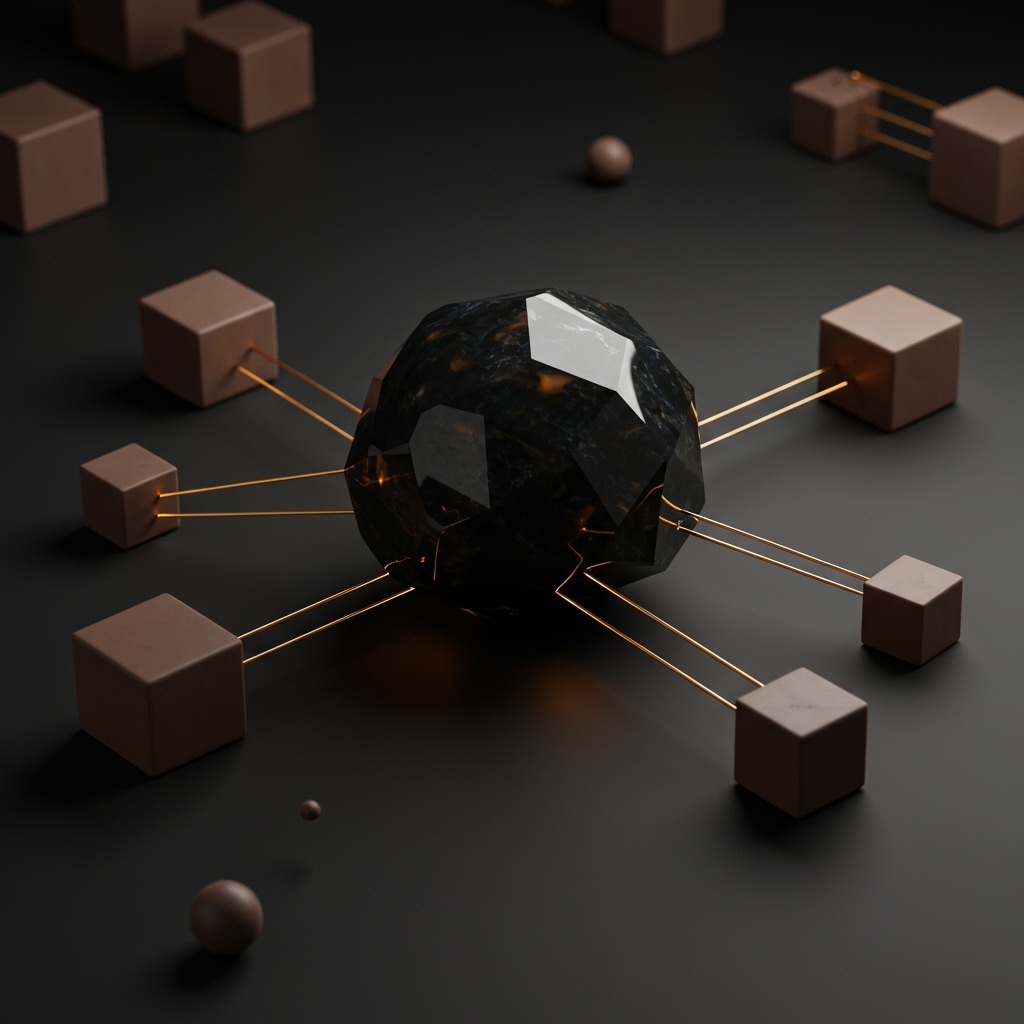
When I design a "Physical AI" system for a client in manufacturing, the primary challenge is bridging the pristine, high-powered cloud environment with the often messy, air-gapped, or resource-constrained operational technology (OT) on the factory floor. The pattern I've found most effective extends a traditional MLOps pipeline to the industrial edge, leveraging the integration between platforms like Azure and industrial specialists like Siemens.
The goal is not a one-time model deployment. It’s a continuous, secure, and automated feedback loop. Here's how I structure it:
- Cloud MLOps Pipeline (Azure Machine Learning): This is the brain. All heavy data processing, model training, and rigorous validation happen here in an automated, repeatable workflow.
- Model Catalog & Registry (Azure ML & ACR): Once a model is trained and passes all quality gates, it's versioned and stored in a central repository like the Azure ML Model Registry and packaged as a container image in Azure Container Registry (ACR).
- Secure Delivery Channel (Azure IoT Hub): This is the secure conduit to the edge. IoT Hub manages device identities and provides a bi-directional channel to signal that a new model version is ready for deployment.
- Edge Model Manager (e.g., Siemens AIMM): On the factory floor, a dedicated manager component subscribes to notifications from IoT Hub. It's responsible for fetching the new model package securely and orchestrating its deployment to the local inference runtime.
- Edge Inference Server (e.g., Siemens AIIS): This is the muscle. It's a hardened, low-latency runtime that executes the AI model directly on the production line, processing data from local sensors in real time.
- Telemetry Feedback Loop (OpenTelemetry & Azure Monitor): Inference results, performance metrics, and device health data are collected at the edge and streamed back to the cloud. This data is invaluable for monitoring system health, detecting model drift, and triggering the retraining pipeline.
This architecture creates a flywheel: the system deploys models, learns from their real-world performance, and uses that knowledge to build better versions.
Bridging the "Sim-to-Real" Gap
One of the most persistent challenges in robotics and other forms of Physical AI is the "sim-to-real" gap. A model trained exclusively in a perfect simulation will almost certainly underperform in the messy, unpredictable real world. My focus is always on creating systems that close this loop. Integrating physically accurate simulators like NVIDIA Omniverse with robotics platforms like ABB RobotStudio is a powerful approach. You can train the initial model in simulation, deploy it to the edge, collect performance data from the real world, and feed that data back into the MLOps pipeline to refine the model. This iterative cycle of simulation and real-world validation is what makes reliable Physical AI possible.
Model Governance and Security at the Edge
When you deploy AI models into an industrial setting, security and governance are not optional—they are foundational to safety and reliability. Every model artifact must be signed, its version and lineage must be traceable, and it must be scanned for vulnerabilities before it ever touches a production device. In the architecture I've laid out, models packaged using a vendor library like the Siemens AI SDK are managed through a secure pipeline. Only validated, approved, and signed models can be deployed. Furthermore, all deployment actions, performance metrics, and updates must be logged for auditing and compliance.
Implementation Guide: A Quality Inspection Scenario
Let's make this concrete. We'll walk through a simplified flow for deploying a quality inspection model to an industrial edge device. Imagine a camera on a production line that needs to identify defects in manufactured parts. We'll provision the Azure infrastructure, simulate the model packaging process, and then create a C# application to act as our edge device.
1. Provisioning the Cloud Infrastructure with Terraform
I always start with Infrastructure as Code (IaC) to ensure our environment is predictable, repeatable, and version-controlled. Create a file named main.tf with the following content to define our Azure resources.
# main.tf

terraform {
  required_providers {
    azurerm = {
      source  = "hashicorp/azurerm"
      version = "~> 3.0"
    }
  }
}

provider "azurerm" {
  features {}
}

resource "azurerm_resource_group" "rg" {
  name     = "ai-edge-rg"
  location = "westeurope"
}

resource "azurerm_storage_account" "sa" {
  name                     = "aiedgestore${random_string.suffix.result}"
  resource_group_name      = azurerm_resource_group.rg.name
  location                 = azurerm_resource_group.rg.location
  account_tier             = "Standard"
  account_replication_type = "LRS"
}

resource "azurerm_application_insights" "app_insights" {
  name                = "ai-edge-appinsights"
  location            = azurerm_resource_group.rg.location
  resource_group_name = azurerm_resource_group.rg.name
  application_type    = "web"
}

resource "azurerm_key_vault" "kv" {
  name                        = "ai-edge-kv${random_string.suffix.result}"
  location                    = azurerm_resource_group.rg.location
  resource_group_name         = azurerm_resource_group.rg.name
  tenant_id                   = data.azurerm_client_config.current.tenant_id
  sku_name                    = "standard"
  soft_delete_retention_days  = 7
  purge_protection_enabled    = false
}

resource "azurerm_container_registry" "acr" {
  name                = "aiedgeacr${random_string.suffix.result}"
  resource_group_name = azurerm_resource_group.rg.name
  location            = azurerm_resource_group.rg.location
  sku                 = "Basic"
  admin_enabled       = true # Enable for simplicity in this example
}

resource "azurerm_machine_learning_workspace" "ml_workspace" {
  name                    = "ai-edge-mlworkspace"
  location                = azurerm_resource_group.rg.location
  resource_group_name     = azurerm_resource_group.rg.name
  application_insights_id = azurerm_application_insights.app_insights.id
  key_vault_id            = azurerm_key_vault.kv.id
  storage_account_id      = azurerm_storage_account.sa.id
  container_registry_id   = azurerm_container_registry.acr.id
  identity {
    type = "SystemAssigned"
  }
}

resource "azurerm_iothub" "iothub" {
  name                = "ai-edge-iothub${random_string.suffix.result}"
  resource_group_name = azurerm_resource_group.rg.name
  location            = azurerm_resource_group.rg.location

  sku {
    name     = "S1"
    capacity = 1
  }

  tags = {
    environment = "development"
    purpose     = "ai-edge-poc"
  }
}

resource "azurerm_iothub_device" "edge_device" {
  name                = "siemens-industrial-edge-01"
  resource_group_name = azurerm_resource_group.rg.name
  iothub_name         = azurerm_iothub.iothub.name
  authentication_type = "sas"
}


data "azurerm_client_config" "current" {}

resource "random_string" "suffix" {
  length  = 5
  special = false
  upper   = false
  numeric = true
}

output "ml_workspace_name" {
  value = azurerm_machine_learning_workspace.ml_workspace.name
}

output "iot_hub_name" {
  value = azurerm_iothub.iothub.name
}

output "iot_edge_device_id" {
  value = azurerm_iothub_device.edge_device.name
}

output "iot_edge_device_primary_key" {
  value     = azurerm_iothub_device.edge_device.primary_key
  sensitive = true
}

output "iot_hub_hostname" {
  value = azurerm_iothub.iothub.hostname
}
Now, run the standard Terraform commands from your terminal to create the resources:
# Initialize the Terraform providers
terraform init

# Review the planned changes
terraform plan

# Apply the configuration
terraform apply --auto-approve
After a few minutes, Terraform will complete and print the outputs, which you'll need for the next steps.
2. Conceptualizing Model Training and Packaging
In a real project, this step would be a full Azure ML pipeline. It would ingest training images, train an object detection model (perhaps using Azure Custom Vision), register the validated model, and then package it.
The packaging step is often proprietary. For example, using a Siemens AI SDK library, the pipeline would convert the generic model format (like ONNX) into a secure, deployable artifact for the Siemens edge runtime. To illustrate the concept, here's a C# class that simulates what that SDK might do:
// This is a conceptual representation. The actual SDK is provided by Siemens.
public class SiemensAISDK
{
    public FileInfo PackageModel(string modelPath, string outputPath, string modelName, string version)
    {
        Console.WriteLine($"Packaging model '{modelName}' (v{version}) from {modelPath} using Siemens AI SDK...");

        // The real SDK would perform complex operations to create a proprietary package.
        // We'll simulate this by creating a placeholder file.
        string packageFileName = Path.Combine(outputPath, $"{modelName}_v{version}.siemens-ai-package");
        File.WriteAllText(packageFileName, $"Simulated Siemens AI Package for {modelName} v{version}");

        Console.WriteLine("Model packaged successfully.");
        return new FileInfo(packageFileName);
    }
}
This packaged artifact would then be uploaded to a blob in the Azure Storage account we created.
3. Conceptualizing Model Deployment via IoT Hub
The delivery pipeline's job is to notify the Siemens AIMM component on the edge device about the new model. The standard pattern I use is to leverage the Azure IoT Hub Device Twin. The process is:
- Generate a SAS URL: The pipeline generates a short-lived Shared Access Signature (SAS) URL for the packaged model in Azure Blob Storage. This grants the edge device temporary, secure read access.
- Update the Device Twin: The pipeline updates the target device's twin, setting a
desiredproperty with the new model's version and its SAS download URL.
The AIMM component on the edge device constantly monitors its twin for changes to this desired state. When it sees a new model version, it automatically downloads the package using the SAS URL and deploys it to the local inference server. This is a robust, pull-based deployment mechanism.
4. Simulating the Edge Device and Telemetry Collection
Finally, let's write the code for our simulated edge device. This C# console application will connect to IoT Hub, listen for model deployment commands (via the device twin), and send back simulated inference telemetry.
First, create a new .NET console project and add the necessary NuGet package:
dotnet new console -n EdgeDeviceSimulator
cd EdgeDeviceSimulator
dotnet add package Microsoft.Azure.Devices.Client
Next, replace the contents of Program.cs with the following code. You will need to populate the connection details from your Terraform output.
// Program.cs in EdgeDeviceSimulator

using Microsoft.Azure.Devices.Client;
using Microsoft.Azure.Devices.Shared;
using System;
using System.Text;
using System.Text.Json;
using System.Threading.Tasks;

namespace EdgeDeviceSimulator
{
    class Program
    {
        // IMPORTANT: Replace these placeholder values with the outputs from your Terraform apply command.
        private static string _iotHubHostName = "<your-iothub-hostname>";
        private static string _deviceId = "siemens-industrial-edge-01";
        private static string _deviceKey = "<your-device-primary-key>";

        static async Task Main(string[] args)
        {
            var deviceAuthentication = new DeviceAuthenticationWithRegistrySymmetricKey(_deviceId, _deviceKey);
            var deviceClient = DeviceClient.Create(_iotHubHostName, deviceAuthentication, TransportType.Mqtt);

            Console.WriteLine("Connecting to Azure IoT Hub...");
            await deviceClient.OpenAsync();
            Console.WriteLine("Device connected.");

            // Set up a callback for desired property updates from the cloud
            await deviceClient.SetDesiredPropertyUpdateCallbackAsync(OnDesiredPropertyChanged, deviceClient);

            // Simulate sending telemetry back to the cloud
            await SendTelemetryAsync(deviceClient);
            await deviceClient.CloseAsync();
            Console.WriteLine("Device disconnected.");
        }

        // This callback simulates the AIMM component receiving a deployment command
        private static async Task OnDesiredPropertyChanged(TwinCollection desiredProperties, object userContext)
        {
            Console.WriteLine("\nReceived device twin update (desired properties):");
            Console.WriteLine(JsonSerializer.Serialize(desiredProperties));
            if (desiredProperties.Contains("ai_model") && desiredProperties["ai_model"]["status"] == "pending_download")
            {
                var modelName = desiredProperties["ai_model"]["name"].Value;
                var modelVersion = desiredProperties["ai_model"]["version"].Value;
                Console.WriteLine($"\nSiemens AIMM (simulated) detected new model '{modelName}' v{modelVersion}. Initiating download...");

                // In a real scenario, AIMM would download from the SAS link and deploy to AIIS.
                // Here, we'll just report back that the deployment is complete.
                var reportedProperties = new TwinCollection();
                var modelStatus = new
                {
                    name = modelName,
                    version = modelVersion,
                    status = "deployed",
                    deployment_time = DateTime.UtcNow.ToString("o")
                };
                // NOTE: exact method name not confirmed in available docs
                reportedProperties["ai_model"] = JsonSerializer.Deserialize<TwinCollection>(JsonSerializer.Serialize(modelStatus));

                var client = (DeviceClient)userContext;
                await client.UpdateReportedPropertiesAsync(reportedProperties);
                Console.WriteLine("Simulated Siemens AIMM reporting model as 'deployed' via twin.");
            }
        }

        // This method simulates sending inference results and device metrics
        private static async Task SendTelemetryAsync(DeviceClient deviceClient)
        {
            var random = new Random();

            for (int i = 0; i < 10; i++) // Send 10 messages for this demo
            {
                var inferenceResult = new
                {
                    model_name = "defect-detector-model",
                    model_version = "1.0.0",
                    timestamp = DateTime.UtcNow,
                    image_id = Guid.NewGuid(),
                    detected_defects = new[] { "scratch", "dent", "none" }[random.Next(3)],
                    // NOTE: exact method name not confirmed in available docs
                    confidence = Math.Round(random.NextDouble() * (0.99 - 0.7) + 0.7, 2),
                    processing_time_ms = random.Next(50, 200)
                };
                var messageString = JsonSerializer.Serialize(new { inference = inferenceResult });
                var message = new Message(Encoding.UTF8.GetBytes(messageString))
                {
                    ContentEncoding = "utf-8",
                    ContentType = "application/json"
                };

                Console.WriteLine($"Sending telemetry: {messageString}");
                await deviceClient.SendEventAsync(message);
                await Task.Delay(5000); // Send every 5 seconds
            }
        }
    }
}
Before running, replace the placeholder connection details with the iot_hub_hostname and iot_edge_device_primary_key values from your Terraform output. Then, run the application from your terminal:
dotnet run
Verification and Troubleshooting
In a real-world deployment, you need robust monitoring. Here’s how I verify the system is working end-to-end using the Azure CLI.
- Verify Device Connection and Twin Status: Check that your device is connected and that its reported properties reflect the deployed model.
# Get device connection status
az iot hub device-identity show --device-id siemens-industrial-edge-01 --hub-name <your-iot-hub-name> --resource-group ai-edge-rg

# In the output, look for: "connectionState": "Connected"

# Get the device twin's reported properties
az iot hub device-twin show --device-id siemens-industrial-edge-01 --hub-name <your-iot-hub-name> --resource-group ai-edge-rg --query 'properties.reported'
- Monitor Incoming Telemetry: Listen to the events arriving at IoT Hub from your device to confirm telemetry is flowing correctly.
az iot hub monitor-events --hub-name <your-iot-hub-name> --device-id siemens-industrial-edge-01 --resource-group ai-edge-rg

# Expected output (streaming JSON messages):
# {"event":{"inference":{"model_name":"defect-detector-model", ... }}}
Common Errors and Solutions
-
Error:
UnauthorizedExceptionin the C# app.- Cause: Your device connection string is incorrect.
- Solution: Carefully copy the
iot_hub_hostname,_deviceId, and_deviceKeyfrom the Terraform output into yourProgram.csfile. Ensure there are no extra spaces or characters.
-
Error: Terraform provider errors on
terraform init.- Cause: Mismatched or outdated provider versions.
- Solution: Delete the
.terraformdirectory and the.terraform.lock.hclfile, then runterraform initagain to download the correct provider versions specified in the configuration (~> 3.0).
-
Error: Device shows as
Disconnectedin Azure.- Cause: The C# application is not running, or a firewall is blocking outbound traffic on the MQTT port (8883).
- Solution: Ensure the
EdgeDeviceSimulatorapplication is running and can access the internet. Check any local or network firewalls.
Conclusion: Realizing the Value of AI
Bringing AI to the Fifth Layer is where its promise translates into measurable impact. In my experience, the defining factor for success isn't just a clever algorithm; it's the robust, secure, and automated system that delivers that algorithm to where it matters most—the physical world. The economic benefits are realized when an AI model can operate autonomously, learn from its environment, and directly influence a physical process.
"Physical AI" is no longer a concept for the distant future. It's happening now, and it's driving the next wave of industrial transformation. The key is to build systems that not only deploy intelligence but also create a continuous feedback loop for improvement.
Key Takeaways
- Focus on the Last Mile: The Fifth AI Layer is about realizing tangible ROI by moving beyond cloud-only proofs-of-concept to edge-native applications that influence physical outcomes.
- Extend MLOps to the Edge: A robust MLOps pipeline that integrates with industrial systems is critical for secure delivery and continuous model improvement.
- Security is Foundational: Model signing, versioning, vulnerability scanning, and audit trails are non-negotiable for industrial AI deployments.
- Use a Pull-Based Model: A bi-directional channel like IoT Hub, combined with a pull-based deployment pattern using Device Twins, is a fundamental architecture for operationalizing AI at scale.
Repository Resources
- Azure IoT SDK for .NET: The official repository for the SDK used in our device simulator is at
github.com/Azure/azure-iot-sdk-csharp. - Azure Industrial IoT Samples: For deeper insights into connecting industrial assets with protocols like OPC UA, I recommend exploring the samples at
github.com/Azure-Samples/iot-industrial-platform.

